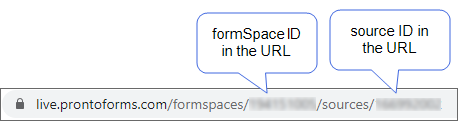
Find the FormSpace and Data Source IDs
Available on all tiers:
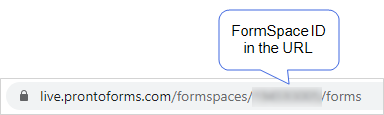
Find a FormSpace ID
-
Go to Forms & Integrations > List FormSpaces.
-
Result: The FormSpace opens, and the system displays the FormSpace ID in the URL.
Find the FormSpace and Data Source ID for a specific Data Source
-
Go to the FormSpace that contains the Data Source
 Data sources, also known as "Lookups", are external sources of data that you upload or connect to TrueContext. You can reference this data in a form to populate answers or answer options. Data sources save typing, reduce errors, and make it easy to provide mobile users with only the relevant, most current data.: Forms & Integrations > List FormSpaces.
Result: The page displays the number of Data Sources
Data sources, also known as "Lookups", are external sources of data that you upload or connect to TrueContext. You can reference this data in a form to populate answers or answer options. Data sources save typing, reduce errors, and make it easy to provide mobile users with only the relevant, most current data. in each FormSpace. - In the row for the FormSpace that contains the Data Source, select the number in the # of Data Sources column.
-
Select a Data Source from the list.
Result: The system displays the Data Source details, and you can see the formSpaceID and sourceID in the URL.