View Webhook Submission Data
Webhook A Webhook is an HTTP endpoint that an external system exposes to receive data automatically. You can configure an HTTP Data Destination to send form submission data or Documents to a third-party system's Webhook URL, such as posting a notification to Slack when a user submits a form. answers and routed values appear alongside other form answers in submission records and documents in the
Web Portal.
A Webhook is an HTTP endpoint that an external system exposes to receive data automatically. You can configure an HTTP Data Destination to send form submission data or Documents to a third-party system's Webhook URL, such as posting a notification to Slack when a user submits a form. answers and routed values appear alongside other form answers in submission records and documents in the
Web Portal.
Available on the Elite tier:
Contents
View Webhook data in submission records
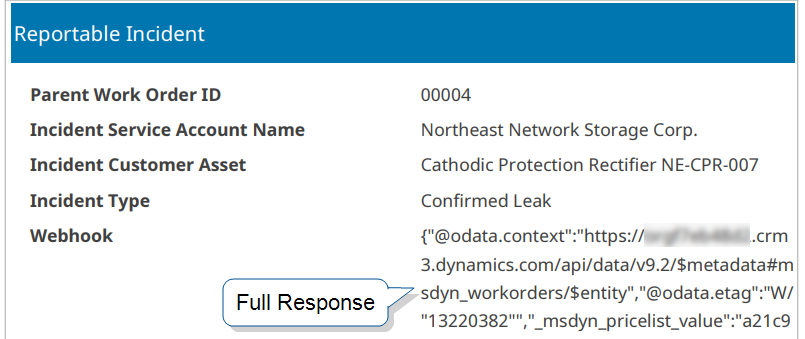
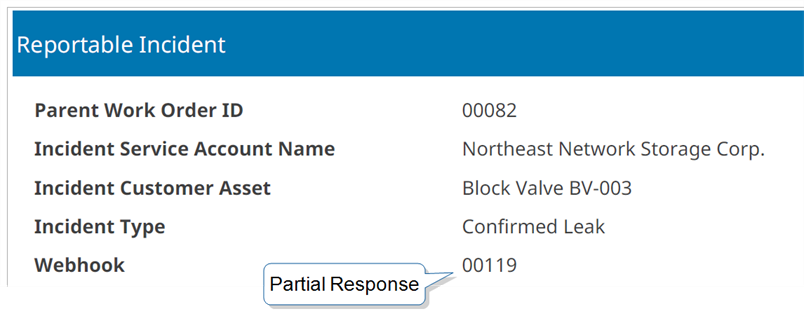
Webhook responses are stored as text answers alongside other submission data in the submission record.
| Step | Action |
|---|---|
| 1 |
Go to Data & Analytics > All Form Activity or Submission (By Form). |
| 2 |
Select a data record for a form that contains Webhooks |
| 3 |
Review the Webhook responses shown as text answers in the submission record.
|
| 4 |
Access Webhook data in submission documents for the same data record selected in step 2. Click on the dropdown arrow for the data record identifier and select the document.
|